> For the complete documentation index, see [llms.txt](https://docs.world-creator.com/llms.txt). Markdown versions of documentation pages are available by appending `.md` to page URLs; this page is available as [Markdown](https://docs.world-creator.com/zh/cao-zuo-zhi-nan/readme-first.md).
# 让我们发挥创意
太棒了!既然你已经成功运行 World Creator,接下来就是施展一些地形和景观魔法的时候了。
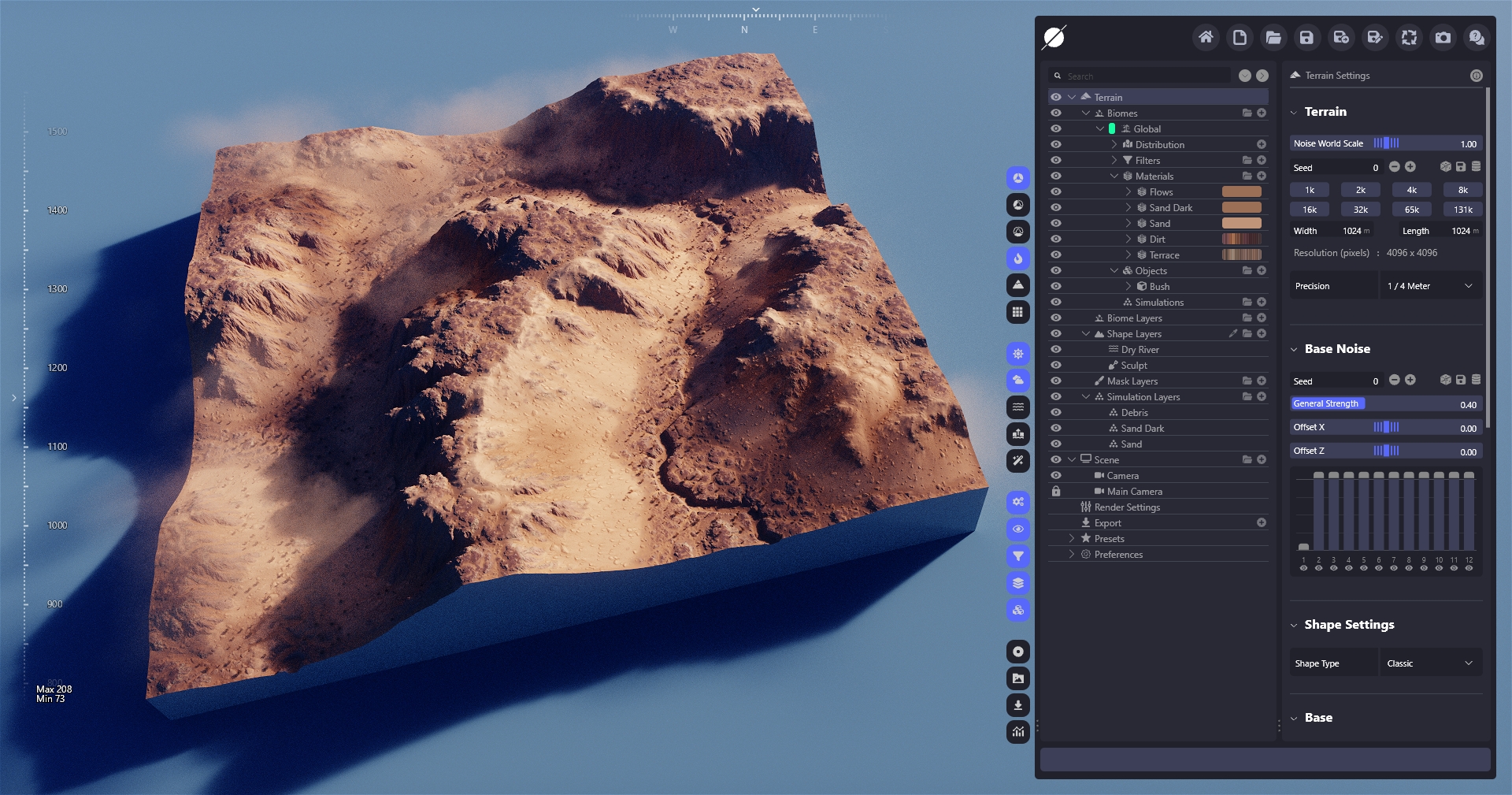
在本演练部分,你将创建一个示例地形,类似下图所示。只需按步骤(1 到 8)逐一操作,即可很好地理解 World Creator 的工作原理以及如何有效使用它。
每篇文章中都有许多链接可带你深入完整参考手册。你不需要在本次演练中阅读它们,但如果你想更多了解某些功能和特性,也可以查看。
好,我们开始吧 :smile:
---
# Agent Instructions
This documentation is published with GitBook. GitBook is the documentation platform designed so that both humans and AI agents can read, navigate, and reason over technical content effectively. Learn more at gitbook.com.
## Querying This Documentation
If you need additional information that is not directly available in this page, you can query the documentation dynamically by asking a question.
Perform an HTTP GET request on the current page URL with the `ask` query parameter, and the optional `goal` query parameter:
```
GET https://docs.world-creator.com/zh/cao-zuo-zhi-nan/readme-first.md?ask=&goal=
```
`ask` is the immediate question: it should be specific, self-contained, and written in natural language.
`goal` is optional and describes the broader end goal you are ultimately trying to accomplish on behalf of the user. GitBook uses it to tailor the answer towards what is most useful for that goal.
The response will contain a direct answer to the question and relevant excerpts and sources from the documentation.
Use this mechanism when the answer is not explicitly present in the current page, you need clarification or additional context, or you want to retrieve related documentation sections.