# 空洞图层

## 概述

洞穴图层使您能够为洞穴或其他应穿透地形的结构添加洞口，可以通过直接在 World Creator 中绘制或从外部来源导入位图来实现。&#x20;

## 结果

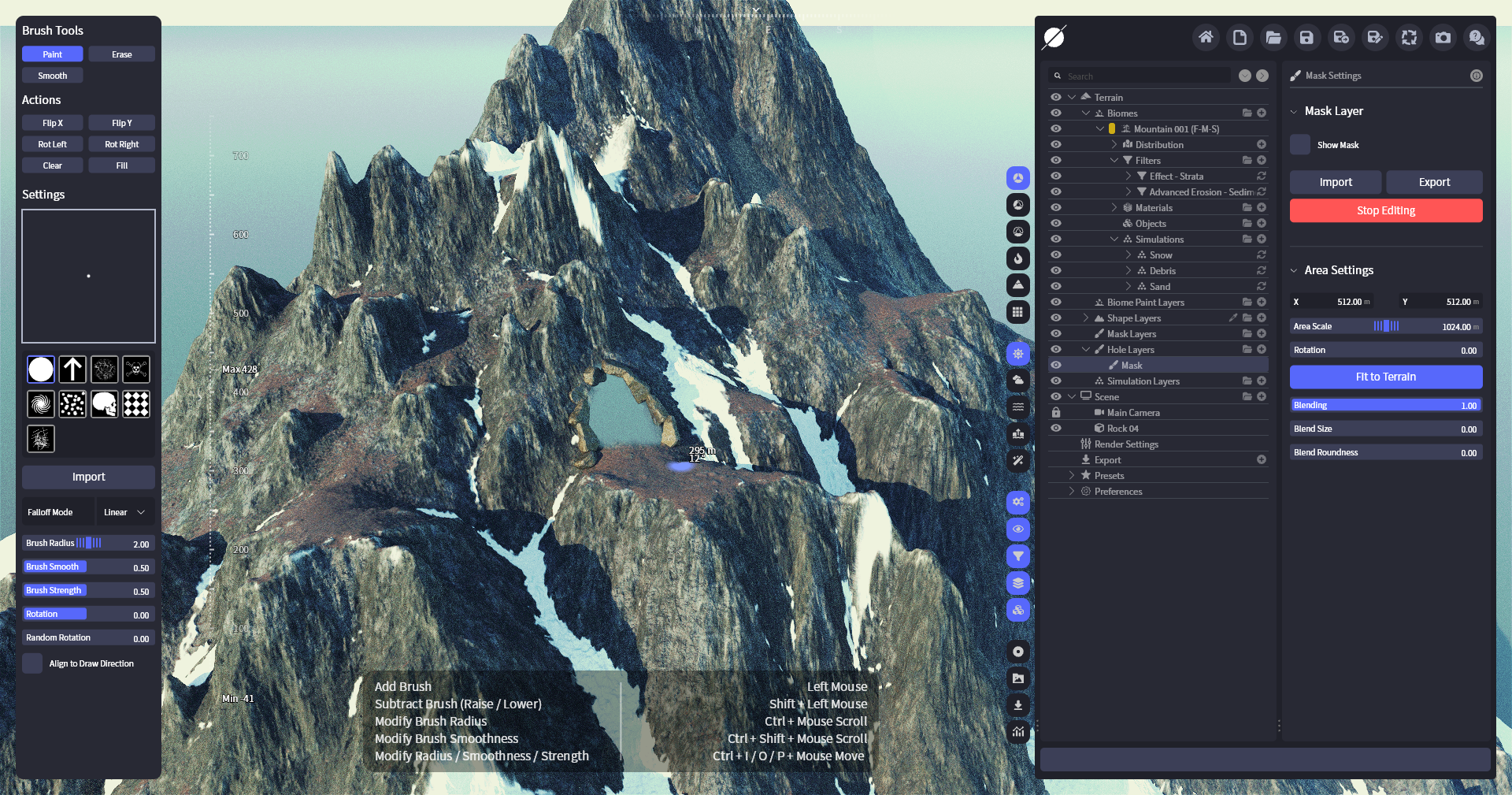
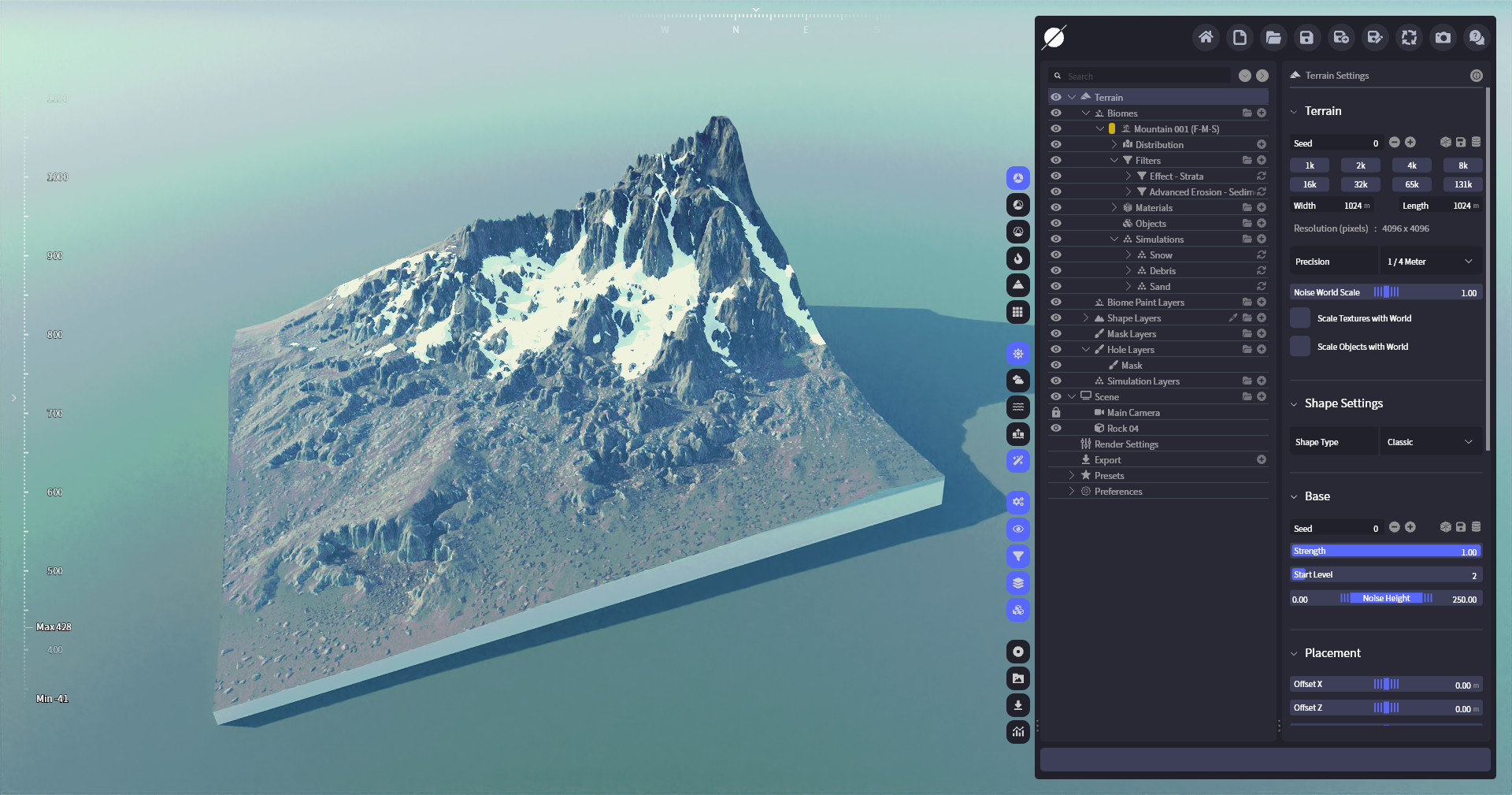
<div><figure><img src="/files/d5b5428b8261844856777eb129425ad0df363256" alt=""><figcaption><p>在山中放置一个洞口</p></figcaption></figure> <figure><img src="/files/41ceafab983a584737d1fbe3d54de6c47df719b8" alt=""><figcaption><p>包含洞穴的完整地形</p></figcaption></figure></div>

## 图层参数

### 遮罩图层设置

| ![](/files/9f0eb79361e3ec06a772f0fdcee5fcaf4b2cc32e) | <ul><li><strong>显示遮罩</strong> <br>在地形上显示遮罩。</li><li><strong>导入/导出</strong> <br>允许您导入或导出遮罩。</li><li><strong>编辑</strong> <br>允许您使用画笔编辑遮罩。</li></ul> |
| ---------------------------------------------------- | ------------------------------------------------------------------------------------------------------------------------------------------------- |

### 区域设置

区域设置允许您在地形上自由定位洞穴图层，并提供将其与地形融合的简单控制。

| ![](/files/fc532f729ffe4fa6ba6c215399d85dcc8db8e6a9) | <ul><li><strong>X/Y</strong><br>区域在地形上的位置。</li><li><strong>区域缩放</strong><br>区域的大小。</li><li><strong>旋转</strong><br>区域的旋转。</li><li><strong>适合地形</strong><br>将区域匹配为地形的全尺寸。</li><li><strong>混合</strong><br>控制整个形状图层的不透明度。</li><li><strong>混合大小</strong><br>为区域添加渐入效果。</li><li><strong>混合圆角</strong><br>使渐入的角更圆。</li></ul> |
| ---------------------------------------------------- | --------------------------------------------------------------------------------------------------------------------------------------------------------------------------------------------------------------------------------------------------------------------------------------------------------------------- |

## 编辑参数

这些参数仅在洞穴图层处于 **编辑** 模式时可用。

### 画笔工具 <a href="#brush-tools" id="brush-tools"></a>

用于修改洞口的简单绘画工具。点击所需工具，然后用鼠标绘制（在地形上按住左键）。提供以下功能：

| <ul><li><strong>绘制</strong><br>添加到遮罩。</li></ul>         | <ul><li><strong>擦除</strong><br>从遮罩中移除。</li></ul> |
| ------------------------------------------------------- | ------------------------------------------------ |
| <ul><li><strong>平滑</strong><br>对画笔下的遮罩进行平均处理。</li></ul> |                                                  |

### 操作

这些操作用于快速执行精确修改。请参阅下面的列表以了解每个操作的功能。

| <ul><li><strong>水平翻转</strong><br>沿 X 轴翻转遮罩。</li></ul> | <ul><li><strong>垂直翻转</strong><br>沿 Y 轴翻转遮罩。</li></ul> |
| ----------------------------------------------------- | ----------------------------------------------------- |
| <ul><li><strong>向左旋转</strong><br>将遮罩旋转 90°。</li></ul> | <ul><li><strong>向右旋转</strong><br>将地形旋转 90°。</li></ul> |
| <ul><li><strong>清除</strong><br>将整个遮罩设置为 0。</li></ul>  | <ul><li><strong>填充</strong><br>将整个遮罩设置为 1。</li></ul>  |

### 画笔设置

<table><thead><tr><th width="199.800048828125">属性</th><th>说明</th></tr></thead><tbody><tr><td><strong>画笔</strong> </td><td>允许您指定多个预装画笔并导入自定义画笔。</td></tr><tr><td><strong>衰减模式</strong></td><td>提供不同的画笔衰减模式。</td></tr><tr><td><strong>画笔半径</strong></td><td>画笔的半径。</td></tr><tr><td><strong>画笔平滑</strong></td><td>画笔平滑的大小。</td></tr><tr><td><strong>画笔强度</strong></td><td>控制当前选中画笔的强度。</td></tr><tr><td><strong>旋转</strong></td><td>旋转画笔图案。</td></tr><tr><td><strong>随机旋转</strong></td><td>为画笔图案添加随机旋转。</td></tr><tr><td><strong>对齐绘制方向</strong></td><td>将画笔图案朝向绘制方向。</td></tr></tbody></table>


---

# Agent Instructions: Querying This Documentation

If you need additional information that is not directly available in this page, you can query the documentation dynamically by asking a question.

Perform an HTTP GET request on the current page URL with the `ask` query parameter:

```
GET https://docs.world-creator.com/zh/can-kao/terrain/hole-layers.md?ask=<question>
```

The question should be specific, self-contained, and written in natural language.
The response will contain a direct answer to the question and relevant excerpts and sources from the documentation.

Use this mechanism when the answer is not explicitly present in the current page, you need clarification or additional context, or you want to retrieve related documentation sections.